
Invoice matching agent
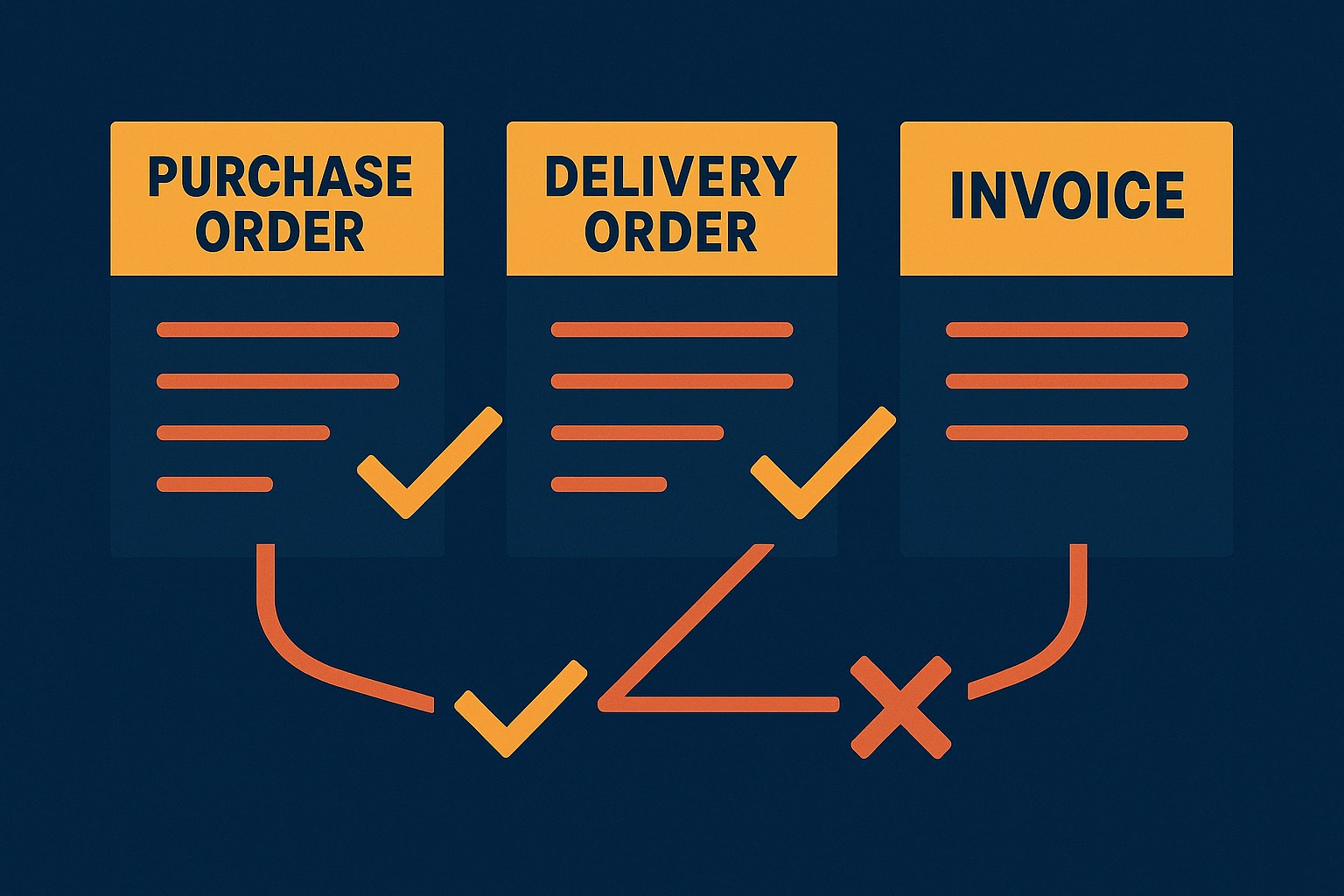
We design, build and deploy an AI agent that reads the supplier invoice, pulls the matching purchase order and delivery order, and runs the three-way match line by line — flagging price, quantity and tax mismatches before anything reaches the payment run, while a human still approves what gets paid.
At a glance
Stops overpayments and duplicate payments before the money leaves — every Ringgit caught is cash kept, not time saved — and clears the AP backlog that holds up suppliers.
Vision/OCR on varied supplier invoices and a three-way reconciliation across three systems, but a fixed prompt-chain and read-only-until-approval keep autonomy and the eval bar contained.
What changes when it works
Time per application
Matching an invoice by hand
~8–12 min
With the agent
~1–2 min review
Time saved
≈ 7–10 minutes saved per invoice — about 60–100 hours a month at 500–800 invoices. And every overpayment or duplicate it catches is cash kept: on a typical AP book, one prevented payment error a week can outweigh the whole AI cost for the month.
Indicative; actual time and savings depend on invoice volume, how many line items each carries, and how clean your PO/DO data is.
Our agentic development process
Every use case follows the same seven stages — from framing the problem to production.
Our process, built on Anthropic's agent guidance and the Agent GPA eval framework: Building Effective Agents · Agent GPA
Stage 1 · Frame
The business problem
An accounts-payable team in the region receives supplier invoices by email and post, then has to match each one against the purchase order it was raised for and the delivery order that proves the goods arrived. Most of a clerk's day is the mechanical part — keying the invoice, finding the right PO, checking every line's price and quantity, reconciling SST/GST — not deciding whether to pay. It's slow, it clogs at month-end, and under pressure clerks match on totals and wave through the lines, which is exactly how overpayments and duplicate invoices slip into the payment run.
Stage 2 · Map
The manual workflow today
- 01Open the supplier invoice (PDF, scan or email)
- 02Key the header and every line item by hand
- 03Find the matching purchase order and delivery order
- 04Check each line's price, quantity and tax against both
- 05Chase the buyer or supplier on any mismatch
- 06Only then release it for approval and payment
Where it breaks: The bottleneck is line-by-line reconciliation across three documents — the slow, repetitive part that gets short-cut at month-end, and short-cutting it is precisely how an overpayment or a duplicate gets paid.
Stage 3 · Design
The agentic workflow
We build it as a prompt-chaining workflow: each invoice runs through a short, reliable chain — read the invoice → pull its PO and DO → match line by line → flag the exceptions → assemble an approval-ready packet — with the agent only stopping to ask a human when a line genuinely doesn't reconcile.
Re-reads the line and re-pulls the source document only when a line fails to reconcile — otherwise it keeps moving.
Watch a case flow through the agent — it does the reading and matching; a human still makes the decision.
See it in action
In the invoice bundle
What the agent flags
- Supplier, PO number and currency match across all three documents
- Unit price mismatch: invoiced RM 12.00 vs PO RM 11.50 (RM 0.50/unit over)
- Quantity mismatch: invoiced 100 vs 96 received on the DO (short-delivered 4)
- SST/GST rate and calculation check out
Every flag cites the exact document, line and figure · your approver releases the payment · ~RM 0.40–0.90 per invoice in AI cost.
Step by step
- 1
Read the invoice
The agent ingests the supplier invoice — native PDF, scan, or an emailed image — reading the header (supplier, invoice number, date, PO reference, tax) and every line item, using vision for scans and photographed documents.
- 2
Pull the PO and delivery order
Using the PO reference on the invoice, it retrieves the matching purchase order and the delivery order (goods-received note) from your ERP or document store — the two source-of-truth documents the invoice must agree with.
- 3
Three-way match, line by line
It reconciles each invoice line against the PO (agreed price and quantity ordered) and the DO (quantity actually received): unit price, ordered vs received vs billed quantity, line and total amounts, and the SST/GST treatment.
- 4
Evaluate and re-check (the loop)
Where a line doesn't reconcile or confidence is low, it re-reads that line or re-pulls the source document before finalising — so a genuine mismatch is confirmed, not a mis-read, before it's flagged.
- 5
Flag exceptions and assemble the packet
It produces an approval-ready packet: the matched lines, the two or three exceptions to look at — each with the amount over/under and the exact document it came from — and a recommended hold or release.
- 6
Hand to a human
Your AP approver reviews the exceptions and releases or holds the payment. Nothing is paid automatically.
Stage 4 · Build
How we build it with Claude
It works from your live PO and delivery-order data — not a stale export — so it matches against what was actually ordered and received, and it re-reads the goods-received quantity right before it finalises. It writes a structured match packet through connected tools instead of touching your payment run directly, so it can flag and recommend but never release money on its own — and every exception it raises traces back to the exact document, line and figure it came from.
Integrations
- ERP / accounts-payable system (PO, invoice, GRN)
- Document store or AP intake inbox
- Optional: supplier master & tax (SST/GST / e-Invoice) reference
Under the hood
- Pattern: a prompt-chain on the Claude Agent SDK — each tool exposed via an in-process MCP server; read the invoice → retrieve PO/DO → match → flag → assemble packet.
- Context: the invoice plus its live PO and delivery-order records are loaded each run — text plus vision for scans — with the goods-received quantity re-read right before the packet is finalised so it never matches against a stale copy.
- Tools: read-only PO/DO/supplier-master lookups, a vision/OCR line extractor, a deterministic line-matcher, and one write tool that only appends a structured match packet to the AP review queue — no tool can touch the payment run.
- Guardrails: least-privilege and read-only into the ERP; the agent flags and recommends but cannot release, edit or schedule a payment; schema-locked JSON output; a duplicate-invoice check (supplier + invoice number + amount) runs before anything is queued.
- Untrusted input & PDPA/PDPC: invoice text is treated as untrusted (a doctored PDF can't steer the match), and supplier bank details, IC/business-registration numbers and pricing are handled PDPA/PDPC-aligned.
- Recovery & escalation: on a failed reconciliation, a missing PO/DO, or low OCR confidence it re-reads or re-pulls, then routes the invoice to a human queue — never a silent match, never a guessed figure.
- Observability & audit: every tool call, the retrieved source figures, and each exception are logged and traceable, with the approver's release/hold captured against the packet — a machine-readable audit trail suited to Finance controls and an external audit.
- Eval harness: a golden set of real historical invoices — including short-deliveries, price creep, tax errors and known duplicates — with deterministic line checks plus an LLM-as-judge on ambiguous cases, regression-tested on every change before it touches a live payment run.
Stage 5 · Architect
Single model or multi-agent?
A three-way match is sequential and shares one case context — the invoice and its two source documents — so a single well-instrumented model is the right call: reliable, cheaper per invoice, and easier to audit.
We reserve multi-agent designs (≈15× the tokens) for genuinely parallel, breadth-first work — not for a single, tightly-coupled reconciliation.
Which model does what
Read & extract invoice lines (incl. scans)
Reliable vision and structured extraction on varied, real-world supplier invoice layouts.
Three-way match & reason across documents
The workhorse — strong reasoning at moderate cost; handles the bulk of invoices.
High-volume line & duplicate checks
Cheapest and fastest for the many simple line-level and duplicate yes/no checks.
Resolve ambiguous / disputed exceptions
Invoked only when Sonnet flags low confidence on a tricky reconciliation — a small fraction of invoices.
What it costs — an estimate
AI usage — per invoice
invoice + PO/DO context + reasoning + output packet, at Claude Sonnet token rates
~RM 0.40–0.90
AI usage — at 800 invoices/month
roughly half with the Batch API for overnight, non-urgent runs
~RM 280–630 / month
Build (one-off)
connecting your ERP, document store and AP queue is a few weeks; we quote fixed after a short discovery
scoped per integration
Ongoing
small next to a single prevented overpayment or duplicate a month
monitoring + support
Indicative only, shown in Ringgit at roughly RM 4.09 to the USD (mid-market, 11 Aug 2026); per-token rates follow Anthropic's published pricing (confirm current figures). Actual AI usage depends on invoice sizes, line-item counts and monthly volume. You can model the same figures in SGD or your currency with our Claude cost calculator.
Stage 6 · Evaluate
How we measure success
- Deterministic checks first — price match, quantity match (ordered/received/billed), tax and totals
- Self-verification — the agent re-checks each exception against the source before surfacing it
- Business KPIs — AP time per invoice, exception catch rate, overpayments prevented, throughput
We score the agent with the Agent GPA framework — Goal, Plan, Action, a current standard for agent reliability — on top of the human baseline. (reference)
Setting the baseline
First we measure your current three-way match on a sample — time per invoice, how consistently two clerks reach the same result, and how many exceptions slip through to payment. That human baseline is what every agent metric is measured against, so the lift is provable rather than assumed.
What we test — Goal · Plan · Action
Match decision vs a senior AP clerk
Its matched/held decision and the exceptions it raises agree with an expert's on held-out invoices
Required checks executed
Every mandated check is run per line — price, quantity, tax, duplicate — nothing skipped
No wasteful loops
It re-reads or re-pulls only when a line genuinely fails, not needlessly
Line extraction accuracy
Did it read each line — description, quantity, unit price, tax — correctly?
Exception recall (catch rate)
Of the real mismatches in the golden set, how many it flags
False-flag rate
How often it flags a line that actually reconciles
No hallucinated figures
Every amount in the packet traces to a source document line
The go-live gate
The agent does not touch a live payment run until it beats the human baseline and clears these GPA targets on a golden set of historical invoices — including short-deliveries, price creep and known duplicates. Every change is regression-tested against the same set before it ships.
Stage 7 · Deliver
How we'd deliver it
We start with a proof-of-concept on your real historical invoices — including the mismatched and duplicated ones — and prove reliability before it touches a live payment run. A focused single-entity rollout is a matter of weeks.
Free consultation
Is your AP team matching invoices by hand?
Tell us your invoice volume and ERP and we'll tell you honestly whether an invoice matching agent is worth building — and what it would take.
Related use cases
Frequently asked questions
- Does the agent pay invoices?
- No. It reads, matches and flags, and assembles an approval-ready packet; your AP approver releases or holds the payment. It has no access to your payment run — human-in-the-loop is essential for money going out.
- How does it handle SST/GST and e-Invoice / LHDN requirements?
- It checks the tax treatment as part of the match and can cross-reference your tax and e-Invoice fields, and it keeps a full audit trail so any matched invoice can be reconstructed. Treat this as a starting point for your finance and compliance team, not tax or legal advice.
- What if the PO or delivery order is missing?
- It doesn't guess. A missing PO or DO is itself an exception — the agent routes the invoice to a human queue with what it does have, rather than matching against an incomplete picture.
- How long does it take to deploy?
- A proof-of-concept for one entity or AP inbox is usually a matter of weeks; a full rollout takes longer, mostly because of ERP integration and getting your AP team comfortable, not the AI.
Examples are based on real, anonymised engagements; details are generalised. Anchor Sprint is Certified in the Claude Partner Network: a deployment and rollout partner, not a reseller. This is general information, not legal or compliance advice.